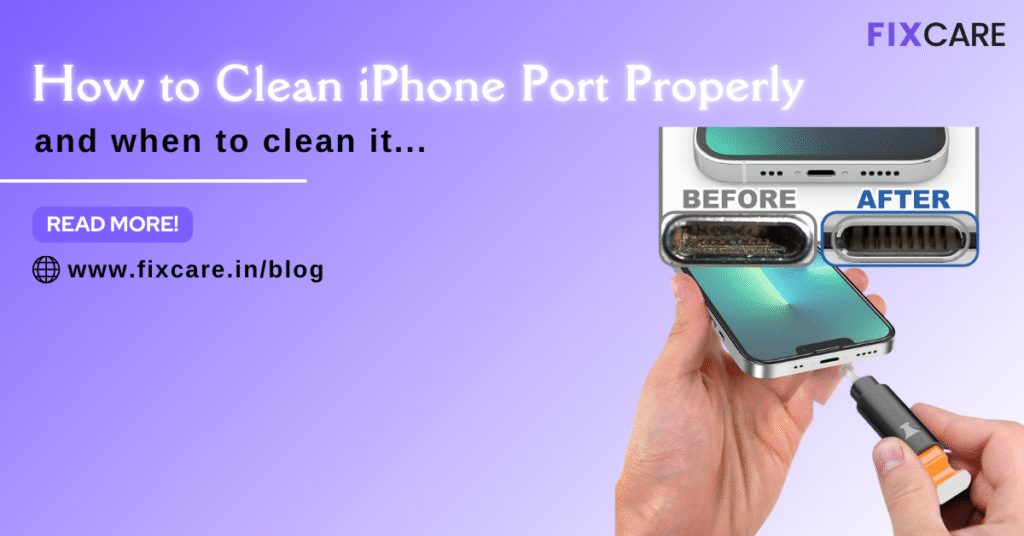
Your iPhone is one of the most frequently used devices in your daily life. From calls and messages to navigation and entertainment, it plays a crucial role in keeping you connected. However, one small yet essential component that often gets ignored is the charging port. Over time, dust, lint, debris, and pocket fibers accumulate inside this tiny space, leading to serious issues. That’s why it’s important to Clean iPhone port regularly to ensure smooth performance and prevent costly repairs.
Many users mistake charging issues for battery problems, when the real culprit is simply a dirty port. If you notice slow charging, intermittent connections, or your cable not fitting properly, it’s a strong signal that it’s time to Clean iPhone port safely and correctly.
In this blog, we will cover when you should clean your iPhone port, how to do it properly, what tools to use, common mistakes to avoid, and when to seek professional help from Fixcare iPhone repair service for expert help in Bangalore.
What Happens If You Don’t Clean iPhone Port?
Ignoring port cleanliness can lead to multiple issues that slowly worsen over time. Here’s what can happen if you don’t Clean iPhone port regularly:
Slow or inconsistent charging
Charging cable not detecting the device
Overheating while charging
Complete charging failure
Port corrosion due to trapped moisture
Internal damage to delicate connectors
A simple cleaning routine can prevent all these problems and extend the life of your device significantly.
Signs That It’s Time to Clean iPhone Port
Knowing when to Clean iPhone port can save you from unnecessary stress. Look out for these common warning signs:
Charging cable feels loose
Phone only charges at certain angles
Frequent disconnection while charging
Accumulated visible lint inside port
Delay in charging response
Accessories not being recognized
If you experience any of these, it’s time to take action immediately.
How Often Should You Clean iPhone Port?
There’s no fixed schedule, but ideally you should Clean iPhone port:
Once every 2–3 months
After exposure to dust or sand
If you keep your phone in tight pockets
After beach or outdoor travel
When charging problems appear
Preventive cleaning reduces the risk of permanent damage.
Tools You Need to Clean iPhone Port Safely
Using the right tools is essential to avoid damaging sensitive components. Here are safe options:
Wooden toothpick
Plastic SIM ejector tool
Soft-bristle brush
Compressed air can
Microfiber cloth
Avoid metal pins, needles, or sharp objects as they can damage the internal contacts.
Step-by-Step Guide to Clean iPhone Port Properly
Follow these steps carefully to Clean iPhone port without causing harm:
Step 1: Power Off Your iPhone
Always switch off your iPhone before cleaning to prevent electrical damage.
Step 2: Inspect the Port
Use a flashlight to check inside the port for dust or debris.
Step 3: Gently Remove Debris
Use a wooden toothpick or plastic tool to gently scoop out lint. Do not force it inside.
Step 4: Use Compressed Air
Blow short bursts of air to remove remaining particles.
Step 5: Final Wipe
Use a microfiber cloth to clean around the opening.
Once done, switch on your phone and test the charging cable.
DIY vs Professional Port Cleaning
While basic cleaning can be done at home, professional cleaning is recommended when:
Charging still fails after cleaning
Port shows corrosion
Phone displays moisture warning
Physical damage is suspected
Fixcare iPhone repair service for expert help in Bangalore uses advanced tools and precision cleaning methods that ensure safety without damaging internal circuitry.
When to Seek Expert Help
You should immediately visit Fixcare iPhone repair service for expert help in Bangalore if:
The port looks damaged
Charging stops completely
There is unusual heat
Moisture indicator is triggered
You suspect internal faults
Professional technicians can inspect and restore your port without risking further damage.
Your iPhone’s charging port may be small, but its role is vital. Neglecting maintenance can lead to costly repairs or complete device failure. Regularly taking time to Clean iPhone port not only improves daily performance but also extends your iPhone’s overall lifespan.
If home cleaning doesn’t solve the problem or you notice signs of damage, trust Fixcare iPhone repair service for expert help in Bangalore to provide professional diagnosis and reliable repair solutions.
A clean port equals a healthier iPhone. Make it a habit today and save yourself from future frustration.